Bound the work first
A useful pattern begins with one observable condition, a realistic horizon, and an explicit statement of what is outside the current effort.
OFFLINE AND ON DEVICE
An offline planning loom for shaping a bounded community initiative through access, evidence, stewardship, and honest learning.
THE PRODUCT
Weftline Studio turns an early community-initiative idea into a bounded sequence of decisions. Instead of beginning with a large promise, the app starts with the visible condition, the people closest to it, and the edges of what can honestly be attempted. Its loom metaphor keeps purpose, access, resources, evidence, and stewardship in view at the same time.
The experience is deliberately card-based. A user can enter through any of eight threads, read one concise prompt, compare the prompt with current capacity, and save only the pieces worth carrying forward. The app never asks for names, case histories, beneficiary records, budgets, applications, or free-text accounts of lived experience.
DESIGN PRINCIPLES
Each choice is intentionally small, concrete, and complete enough to use without handing personal information to the software.
A useful pattern begins with one observable condition, a realistic horizon, and an explicit statement of what is outside the current effort.
Prompts make room for multiple input routes, missing perspectives, disagreement, and the real cost of asking people to participate.
The app favors small observable signals, more than one lens, and uncertainty that remains visible instead of decorative measurement.
Handoff, maintenance, stop signals, and lessons belong in the pattern from the beginning, not as an afterthought once energy is spent.
ONE COMPLETE SESSION
Five recognizable places give the session a beginning, a focused middle, and a deliberate close. Progress can stop after any useful step.
See the eight planning threads, understand what stays on the device, and set text size or motion preference before choosing a starting point.
Enter through need, lived voice, access, change, resources, evidence, stewardship, or learning. There is no forced linear order.
Use a dedicated visual and a short structured practice to clarify one decision without creating a dossier or long form.
Use predefined checks to notice overreach, hidden labor, weak access, missing voice, or evidence that does not support the next decision.
Keep selected cards and a compact local recap, revisit them later, or erase the entire local state from the utility panel.
BUNDLED PATH
The library moves from first orientation to a clean ending. Every card is available immediately after installation.
Define one visible condition, its realistic horizon, and the boundary around the first attempt.
From “Name one bounded need” to “Choose a review moment”.Plan how affected people can shape choices without pressure, extraction, or a single required input route.
From “Start with affected people” to “Preserve disagreement”.Bring language, timing, physical route, sensory choice, and no-contact participation into the design early.
From “Budget access early” to “Test with different perspectives”.Connect action to outcome, select a reversible pilot, and make stop signals visible before launch.
From “Link action to outcome” to “Define a stop signal”.Count time, maintenance, fallback capacity, and hidden volunteer labor alongside material resources.
From “Count time as a resource” to “Match scale to capacity”.Choose observable signals, compare carefully, notice unequal effects, and record what remains uncertain.
From “Choose an observable signal” to “Set a learning rhythm”.Clarify decisions, appeals, information protection, plain progress reporting, safety, dignity, and handoff.
From “Clarify decision roles” to “Prepare for handoff”.Pause at the edge, retain unfinished learning, release what no longer serves, and close without extracting stories.
From “Pause at the edge” to “Close the loop”.VISUAL FIELD GUIDE
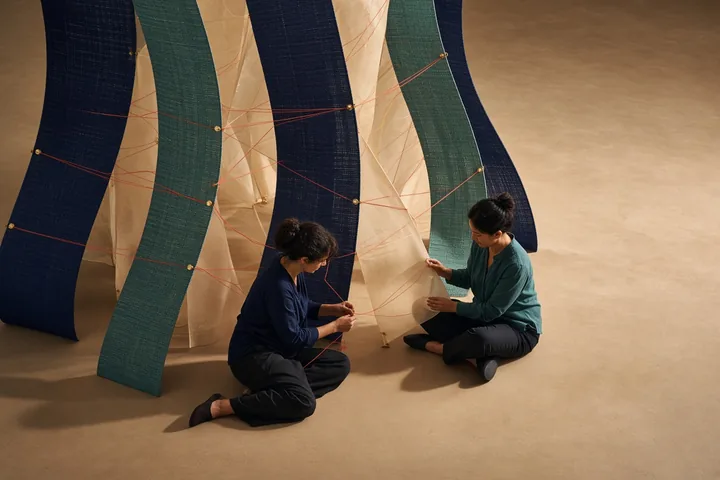
These 8 module images introduce the different parts of the system; every content card then carries its own purpose-built portrait image inside the app.







INSIDE A CARD
Cards keep reading short while preserving the reasoning around a choice. Their content is bundled, repeatable, and available without a feed or remote update.
A focused prompt narrows attention to one design question and names the practical limit around it.
A short tension check helps compare ambition with access, evidence, time, responsibility, and reversibility.
A card can be marked or saved locally so one useful decision survives without turning the app into a record system.
LOCAL DATA AND CONTROL
Weftline Studio retains completed pattern-card identifiers, selected tension checks, saved sample cards, text size, and Reduce Motion preference. It does not store participant names, narratives, contact records, financial information, applications, or project files.
No account, server profile, cloud workspace, analytics stream, or publisher-visible activity history.
No Internet, camera, microphone, contact, location, notification, storage, calendar, or advertising permission.
A confirmed in-app action clears supported progress and preferences. Android clear-storage and uninstall controls work too.
COMMON QUESTIONS
These answers describe the behavior of the installed version 1.0.0 release.
No. The eight threads are intentionally non-linear. Start where uncertainty is highest, then return to another thread when the pattern needs a different kind of check.
No. It provides bounded planning prompts and predefined checks. It does not approve funding, certify readiness, score organizations, or replace decisions made with affected people.
No free-text field or participant record exists. The app is designed to support a planning conversation without becoming a repository for identifiable or sensitive material.
You can keep card completion, selected predefined checks, saved sample cards, and accessibility preferences in private app storage on the current device.
No. There is no account, cloud workspace, export service, collaboration server, or Internet permission. Any real-world sharing happens outside the software and under the user’s control.
Open the utility panel and use Erase local data. The confirmed action clears saved progress and preferences; clearing Android app storage or uninstalling also removes the local state.
PRIVACY IN FULL
The full policy explains scope, local storage, permissions, network behavior, third parties, retention, erasure, backup, security, children and families, professional limits, changes, and publisher information in 18 detailed sections.